
Ore
Descrizione
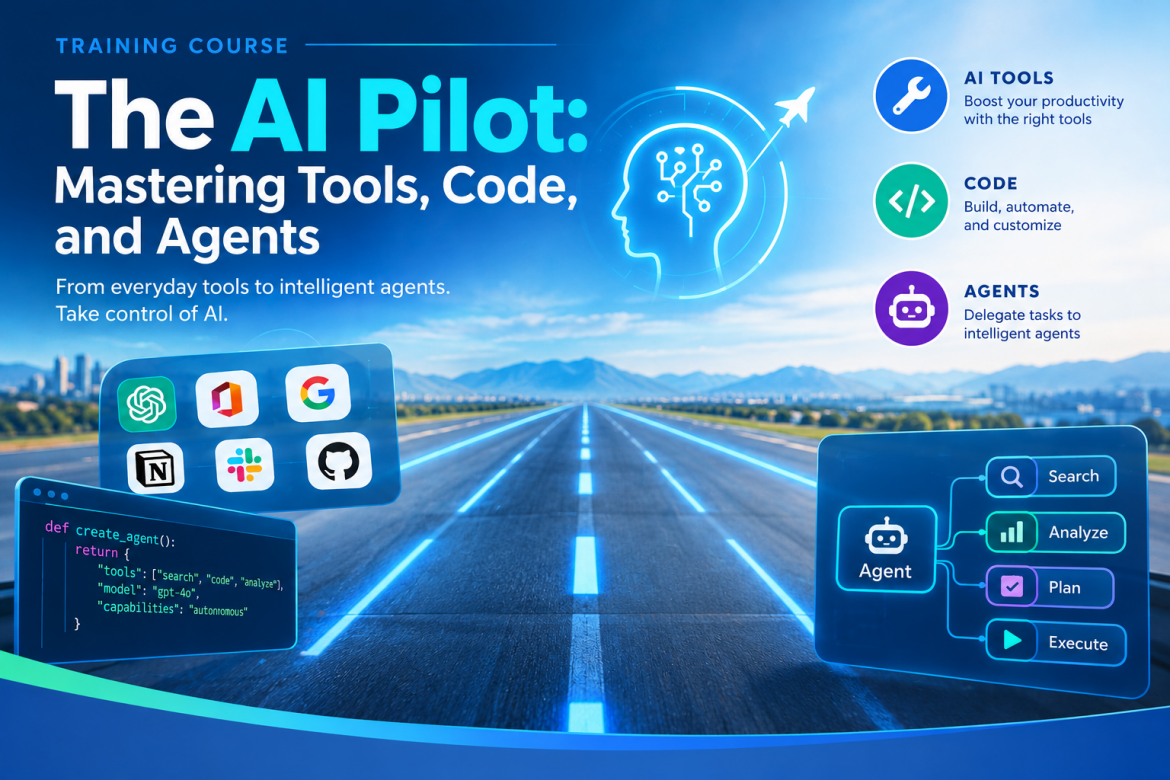
The AI Pilot: Mastering Tools, Code, and Agents
Transnational Mobility Call for Proposals from the Piedmont Region.
Relevant calls/actions: Call for proposals on transnational mobility from the Piedmont Region, DD ACT 242/A1513A/2025 of 08-05-2025 and D.D. no. 679 of 18-11-2025, which authorized the training activities
- period 2025-2028. Activity authorized and in the operational and organizational phase.
A reciprocal training course, lasting 160 hours (28 days) for a total of 12 participants, resident or domiciled in Piedmont (6) and Portugal (6). The aim of this course is to create forms of "multilingual training" focused on AI technologies.
Both events will be held in Piedmont (80 hours, 14 days) and Lisbon (80 hours, 14 days).
Programma
Course Syllabus · m.A.I.n.street – Transnational Mobility Projects (Draft proposal)
Course: The AI Pilot: Mastering Tools, Code, and Agents
Organiser: Oltreformazione – m.A.I.n.street Transnational Mobility Projects
Total workload: 160 hours over 4 weeks (approx. 40 hours per week)
Format: Hands-on, project-based: short theory blocks followed by guided labs
Portfolio: 7 practical projects + 1 team capstone project
Target audience: Adult learners and professionals aged 18th -35th years; no prior programming experience required
Course Description
This course trains participants to become confident “AI Pilots”: professionals who can choose the right AI tool, instruct it precisely, and combine models, code, automations and agents into working business solutions. The programme moves from core concepts and prompt engineering, through AI-assisted coding and low-code automation, to Retrieval-Augmented Generation (RAG) agents and custom-trained computer-vision models. Every phase ends with a practical project, and the course closes with a team capstone that is presented to a panel.
Learning Outcomes: By the end of the course, participants will be able to:
• Explain the differences between AI, Machine Learning, Deep Learning, Data Science, LLMs, Generative AI and AI Agents.
• Design structured, reliable prompts using zero-shot, few-shot, chain-of-thought and role-based techniques.
• Build and debug Python applications with AI coding assistants (vibe coding) without memorising syntax.
• Automate business processes end-to-end with n8n, integrating LLMs, e-mail, spreadsheets and approval steps.
• Deploy a RAG knowledge base and an AI agent with RAGFlow, with source citations and measurable answer quality.
• Build a custom image dataset, train a YOLO model, and apply it to detection, tracking and classification tasks.
• Evaluate AI systems for bias, hallucinations and compliance with the GDPR and the EU AI Act.
• Plan, build and pitch an AI solution to a real business problem as part of a team.
Prerequisites & Requirements
• Basic computer literacy and working English (all tools and documentation are in English).
• A laptop (8 GB RAM minimum, 16 GB recommended) able to run Docker for the RAGFlow and n8n labs.
• Free accounts: Google (Colab, Gmail, Sheets), GitHub, and an LLM API key provided or arranged by the trainer.
• GPU access for model training is provided through Google Colab; no local GPU is required.
Course at a Glance
Phase, Topic, Project(s)
1. AI Foundations, Prompt Engineering & Generative AI
2. Vibe Coding & Python with AI Assistants, AI Sales Forecaster
3. Business Automation with n8n, AI Request Organiser · Travel Reimbursement · E-mail Automation
4.AI Agents & RAG with RAGFlow, Customer Support Agent
5.Computer Vision: Custom YOLO Training, Tracking & Classification Helmet & PPE Compliance Monitor
6. Ethics, GDPR & the EU AI Act
7. Mainstreet Capstone Project, Team capstone
Total 7 projects + capstone
Phase 1 · The Foundation — Definitions, Interaction & Code
Goal: understand how modern AI works, communicate precisely with AI models, and use AI assistants to write working code.
Part A — Core Concepts, Prompt Engineering & Generative AI
Module 1.1 · Defining the Landscape
• AI (the broad field), ML (systems that learn from data), DL (multi-layer neural networks), Data Science (extracting insight from data).
• LLMs, Generative AI and AI Agents: what each is, and where each fits in a business.
• Choosing the right tool: chat assistants, APIs, open-source and local models.
Module 1.2 · How LLMs Work
• Tokens, context windows, temperature and sampling; why models hallucinate.
• Model families, cost and latency trade-offs; cloud APIs versus locally hosted models.
Module 1.3 · Prompt Engineering Masterclass
• From “chatting” to “programming via text”: instructions, context, constraints and output format.
• Techniques: zero-shot, few-shot, chain-of-thought, role-playing and prompt chaining.
• Structured outputs (JSON), reusable prompt templates and system prompts.
• Testing and iterating prompts against a set of example cases.
Module 1.4 · Generative AI for Images & Video
• Text-to-image and image editing workflows; prompting for style, composition and consistency.
• Introduction to AI video generation and its business uses (marketing, training, prototyping).
• Copyright, disclosure and responsible use of generated media.
Part B — “Vibe Coding” & the Python Paradox
Module 2.1 · The New Way to Code
• Introduction to AI coding environments: Cursor and Google Antigravity.
• Core idea: you do not need to memorize syntax — you need to describe logic clearly and verify the result.
Module 2.2 · The Python Sandbox (Bottom-Up)
• Python essentials read through AI: variables, functions, libraries, data frames.
• Activity: debugging a broken script with an LLM — reading errors, isolating the cause, verifying the fix.
PROJECT — AI Sales Forecaster
Phase 2 · Automation & the Corporate Brain
Goal: automate business processes with n8n and build knowledge-grounded AI agents with RAGFlow.
Business Automation with n8n
Module 3.1 · Thinking in Workflows
• Triggers and actions; mapping a manual business process into automation steps.
• Where AI adds value in a workflow: classifying, extracting, summarizing, drafting.
Module 3.2 · Connecting the Dots
• Nodes, expressions and data mapping; credentials; branching, loops and error handling.
• Integrations: Gmail, Google Sheets, forms, webhooks and messaging tools.
Module 3.3 · Local vs. Cloud
• Calling an LLM through an API versus running a model locally (e.g. with Ollama): cost, privacy and performance.
PROJECT — A · AI Request Organizer
Goal: Collect incoming requests from a form or inbox and let an LLM classify, priorities and route them automatically.
Key features:
- Form / e-mail trigger capturing each request.
- LLM classification by category, urgency and responsible department, returned as structured JSON.
- Automatic logging in Google Sheets and notification to the right owner.
Deliverable: an exported n8n workflow and a short walkthrough.
PROJECT — B · Travel Reimbursement Automation
Goal: Automate the expense-claim process from receipt submission to approval.
Key features:
- Receipt upload (photo or PDF) with AI extraction of date, vendor, amount and category.
- Policy checks (limits, missing data, duplicates) with automatic flagging.
- Human-in-the-loop approval step and an updated expense register.
Deliverable: an exported n8n workflow processing a set of sample receipts.
PROJECT — C · E-mail Automation
Goal: Reduce inbox workload with an AI assistant that sorts, summarizes and drafts replies.
Key features:
- Incoming e-mail trigger with AI labelling (e.g. sales, support, invoices, spam).
- Daily digest summarizing important threads.
- Draft replies saved for human review — never sent without approval.
Deliverable: an exported n8n workflow and a live demo on a test mailbox.
Week closes with a 1-hour demo and review session
AI Agents & RAG with RAGFlow
Module 4.1 · What Is an Agent?
• Workflow (linear, predefined) versus agent (decides which step or tool to use next).
• Tools, memory and planning; when an agent is — and is not — the right choice.
Module 4.2 · Retrieval-Augmented Generation (RAG)
• Embeddings and vector search; chunking strategies; hybrid search and reranking.
• Grounding answers in company data with citations; measuring answer quality with a test question set.
Module 4.3 · The RAG Flow Platform
• Deploying RAG Flow (open-source) with Docker; connecting cloud or local LLMs and embedding models.
• Creating knowledge bases; deep document parsing of PDFs, tables and scanned files; template-based chunking.
• Inspecting and correcting chunks; tuning retrieval settings; chat assistants with source citations.
Module 4.4 · Building Agents in RAG Flow
• The visual agent canvas: components, retrieval, conditional logic and tool calls.
• Connecting external tools (web search, APIs, MCP) and triggering n8n workflows via webhooks.
• Publishing: embedding the chat widget in a web page and using the API.
PROJECT — Customer Support Agent
Goal: Create a 24/7 agent that answers tier-1 customer questions from the company knowledge base and escalates when it cannot help.
Key features:
- Knowledge base built from public documentation, FAQs and product manuals.
- Answers grounded in retrieved sources, with citations shown to the user.
- Escalation logic: out-of-scope or low-confidence questions open a ticket through an n8n workflow.
- Web chat widget and an evaluation report on at least 20 test questions.
Deliverable: a published RAGFlow agent embedded in a web page, plus the evaluation report.
Phase 3 · Perception, Theory & Ethics
Goal: understand how machines see, train computer-vision models on your own data, and apply AI within legal and ethical limits.
Computer Vision with YOLO
Module 5.1 · How Machines See
• Images as matrices of pixels; color channels; convolutional neural networks explained intuitively.
Module 5.2 · Computer-Vision Tasks & Metrics
• Classification, object detection, segmentation and tracking — what each answers.
• Evaluation: IoU, precision, recall, mAP and the confusion matrix.
Module 5.3 · YOLO with Ultralytics
• How YOLO (You Only Look Once) works; model sizes and speed/accuracy trade-offs.
• Running pretrained models (YOLO26 / YOLO11) on images, video and webcam streams.
Module 5.4 · Building Your Own Dataset
• Collecting images; annotation with tools such as CVAT, Label Studio or Roboflow.
• YOLO label format and dataset YAML; train/validation/test splits; class balance and augmentation.
Module 5.5 · Training a Custom Model
• Transfer learning from pretrained weights versus training from scratch.
• Training on GPU (Google Colab): epochs, image size, batch size and key hyperparameters.
• Reading loss and mAP curves; validation and error analysis; improving the dataset iteratively.
Module 5.6 · Object Tracking
• Multi-object tracking (ByteTrack, BoT-SORT): persistent IDs across video frames.
• Practical analytics: counting, line crossing, zones and time-in-area.
Module 5.7 · Image Classification
• Training a YOLO classification model on a custom folder dataset; classification on detected crops.
Module 5.8 · Export & Deployment
• Exporting to ONNX and edge formats; building a simple Streamlit demo around the model.
PROJECT — Helmet & PPE Compliance Monitor
Goal: Train a custom model that detects workers with and without safety helmets, tracks them across a video and reports compliance.
Key features:
- Custom annotated dataset (e.g. helmet, no-helmet, vest, person) and a YOLO model trained on it.
- Comparison of the custom model against a pretrained baseline using mAP, precision and recall.
- Tracking of each worker with a persistent ID, so each violation is counted once.
- Compliance classification per tracked worker, with an event log and on-screen alerts.
- Streamlit dashboard for uploading a video and reviewing results.
Deliverable: trained weights, the dataset card, a metrics report and a demo video.
Ethics, GDPR & the EU AI Act
Module 6.1 · Intuitive Math of Failure
• Where bias comes from (data, labels, deployment context) and why hallucinations happen.
• Mitigation: better data, evaluation sets, grounding and human oversight.
Module 6.2 · AI & the Law (GDPR)
• Strategic placement: now that participants can process data, they must learn to protect it.
• Personal vs. special-category (sensitive) data; lawful basis; data minimization.
• The “right to be forgotten” in AI systems; corporate responsibility and accountability.
Module 6.3 · The EU AI Act in Practice
• Risk categories and obligations; transparency for chatbots and generated content.
• Case study: video monitoring of workers (as in the helmet project) — privacy-by-design and workplace rules.
Phase 4 · Final Project
Goal: apply all learned skills to a real-world business scenario.
Module 7.1 · The Mainstreet Capstone Project
• Teams select a real business problem and combine at least two course technologies (e.g. RAG agent + n8n, or vision + dashboard).
• Milestones: problem statement and plan ? working prototype ? testing and ethics/GDPR check ? final pitch.
• Final presentation to a panel, focusing on practical business value, feasibility and cost.
Assessment
Component, What is assessed, Weight
Lab projects (7), Working solution, quality of prompts / workflows / models, short demo 50%
Capstone project, Business value, technical quality, teamwork, final pitch, 40%
Participation, Attendance, engagement, peer support, 10%
Participants who complete all projects and the capstone receive a certificate of completion.
Tools & Technologies
Area, Tools
LLMs & prompting, ChatGPT, Claude, Gemini; LLM APIs; Ollama for local models
Generative media, Text-to-image and AI video tools
AI-assisted coding, Cursor, Google Antigravity, Python, Streamlit, Prophet, pandas
Automation,n8n, Gmail, Google Sheets, webhooks
RAG & agents, RAGFlow, embedding models, rerankers, MCP
Computer vision, Ultralytics YOLO (YOLO26 / YOLO11), CVAT / Label Studio / Roboflow, Google Colab, OpenCV
Infrastructure, Docker, GitHub
Requisiti
Individuals aged 18 to 35, domiciled or resident in Piedmont, holding a valid residence permit and valid travel documents for going abroad.
Proficiency in English and a strong interest in artificial intelligence applications are required.
without restrictions regarding staying abroad or attending the 8-hour-a-day course from Monday to Friday
Costo
Date e orari
Part A – In-person training in Italy
| November-December 2026 |
| 29 | 30 | 1 | 2 | 3 | 4 | 5 | 6 | 7 | 8 | 9 | 10 | 11 | 12 |
| Su | Mo | Tu | We | Th | Fr | Sa | Su | Mo | Tu | We | Th | Fr | Sa |
| Trip | 8 | 8 | 8 | 8 | 8 | 8 | 8 | 8 | 8 | 8 | Trip | ||
| hypothesis_1 [80h in Italy] | |||||||||||||
Part B – In-person training in Portugal_Lisbone
| Febrary 2027 |
| 1 | 2 | 3 | 4 | 5 | 6 | 7 | 8 | 9 | 10 | 11 | 12 | 13 | 14 |
| Su | Mo | Tu | We | Th | Fr | Sa | Su | Mo | Tu | We | Th | Fr | Sa |
| Trip | 8 | 8 | 8 | 8 | 8 | 8 | 8 | 8 | 8 | 8 | Trip |
Sede
Posti ancora disponibili

